

Overview
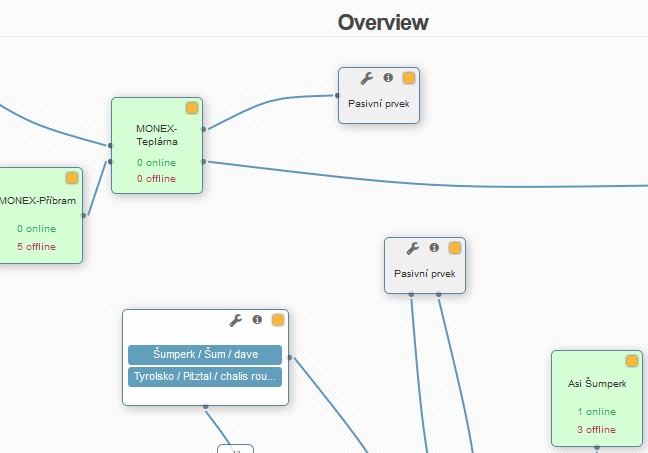
Here you can view the whole structure of your network with all its elements (routers, switches, devices, passive components). When you load this page for the first time, an overview will appear of all locations with the names and numbers of online/offline devices in them.
 Related code lists: Settings Code lists POPs, Settings Code lists Locations. Any change, move or link is immediately (automatically) saved to the system.
Overview of Locations
A list of locations is displayed here. In it, you can see the names and numbers of online/offline devices in every location.
There are two icons in the upper right section of the page:  add a passive component,
  legend. Individual locations and passive components can be connected together in the same way that they are connected in reality. You can link individual elements together by a simple drag and drop gesture (click on the yellow square in the right upper corner of any of the elements, drag it and drop it onto the element you want to connect to the first one). Once a link is established, you can click on it and do one of the following things: Save note or Remove connection.
Overview of POPs
When you click on a particular location, a list will appear of POPs, passive components and uplinks in this location. An uplink is a link between locations or POPs defined by specific devices.
In the menu on the right side of the page, you can arrange for the system to show you  the routers and
  the switches that are in a given location and may be assigned to a POP. You can assign such a device to a specific POP by a simple drag and drop gesture - drag the icon corresponding to a given device and drop it onto a specific POP.
Details about POPs
When you click on a particular POP, details about it will appear. You can see here all devices connected to a given router (routers, switches, passive components, uplinks). You may do the same actions as in Location or POP.