
Detecting and removing

Reacting to the revealed vulnerability, we released ISPadmin, version 4.20, which included a utility for detecting and curing infected Ubiquiti units. Due to the emergency situation we released the very first version of the utility quickly.
Now we are presenting the utility with enhanced functionalities.
 Run the utility from ISPadmin console (connected via SSH) under root user, ISPadmin does not detect anything automatically!
/usr/local/script/ispadmin/ubnt_vulnerability_test.pl
When running the utility without any parameter, help is displayed.

Check devices from ISP admin bookmark ROUTERS
/usr/local/script/ispadmin/ubnt_vulnerability_test.pl check <username> <username2> <username3> <username4> <username5> - show ONLY vulnerable and infected ROUTERS ( AP )
Tests all Ubiquiti units inserted in Hardware Routers. If you run this command, the system tries to attack the unit, and if it succeeds, the console displays information with IP address and firmware version. If the system succeeds in connecting to Ubiquiti unit, it tries to determine whether there is the virus or not. If yes, it displays such information in the console. Nothing else. When 10 units are tested, a dot appears on the screen to show you that the script is still running and testing other units.
Check devices like AP ....( may take a long time )
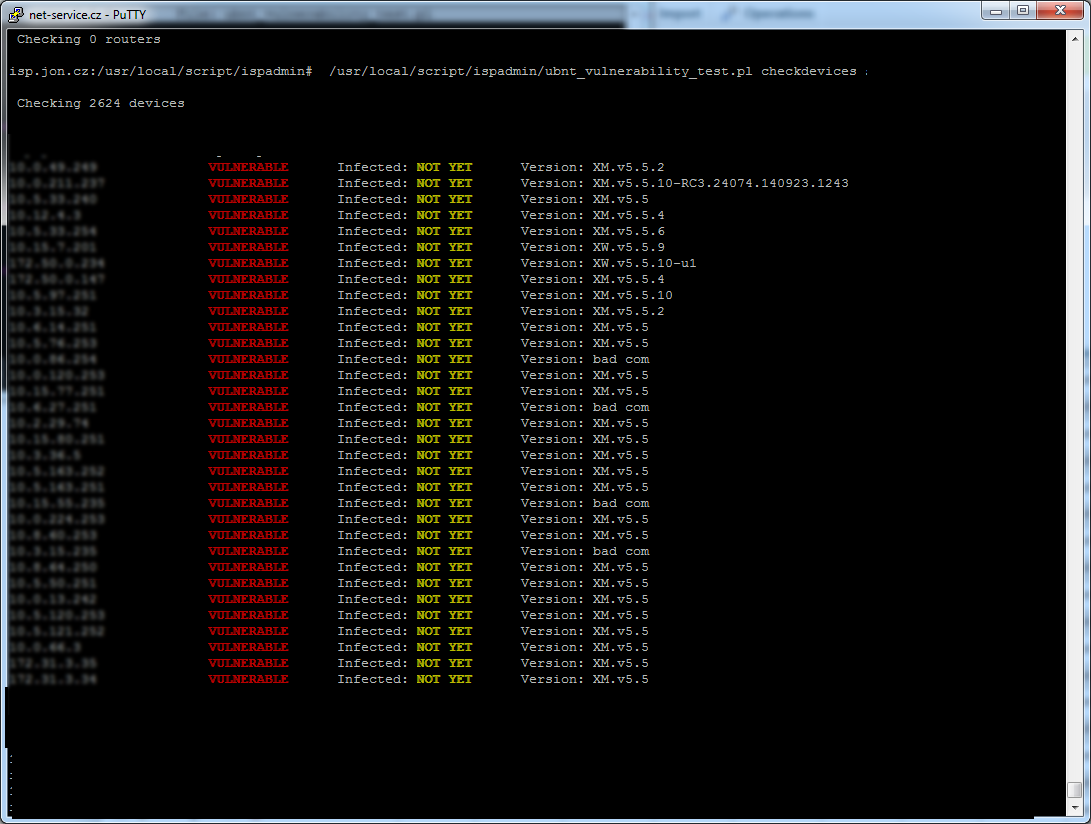
/usr/local/script/ispadmin/ubnt_vulnerability_test.pl checkdevices <username> <username2> <username3> <username4> <username5>
- show ONLY vulnerable and infected devices ( Acces points )
Tests all devices inserted as “Device attached to device” in Hardware Routers. In this case, the utility doesn´t care about device type since such information might not be available here. The utility tries to attack all IP addresses. If there are a lot of devices in your system, this might take a long time.
Check END USER devices ....( may take a long time )
/usr/local/script/ispadmin/ubnt_vulnerability_test.pl checkusers <username> <username2> <username3> <username4> <username5>
- show ONLY vulnerable and infected client end device
Tests all IP addresses assigned to clients. The system tests all client-assigned IP addresses for it does not know whether a client has Ubiquiti device, or not. This operation might take a long time, since all IP addresses in the system are tested.
Clean INFECTED devices ( from previous check )
/usr/local/script/ispadmin/ubnt_vulnerability_test.pl cleaninfected
- show vulnerable and infected devices and REMOVE infection
If an infected unit is detected in the previous step, you may clean it this way. This operation connects to and cleans just those units, which are marked as infected. It means that prior to this step you have to run the utility with parameters check, checkdevices, or checkusers. Failing this no units are marked as infected and using parameter “cleaninfected” makes no difference.
A mandatory parameters are: check, checkdevices, checkusers, or cleaninfected. You may use user names, which you use for login to Ubiquiti units as an optional parameter. This is needed in cases when a key is stored in Ubiquiti unit after being attacked to enable login via ssh without password. You need to know the user name with which you connect to the system. If unknown, you won´t be able to connect. While running the vulnerability test, a default user name ubnt and user admin are tested. If you use neither of these, the script won´t be able to test vulnerability hence the need for entering a different username used for accessing the unit (no need for password). Then the system will try using these usernames.
Listing of UBNT units in ISPadmin
When you log into ISPadmin, you will see information about Vulnerability of UBNT devices:

In Other Tools > Vulnerability of UBNT devices, you will find a tool for displaying vulnerable devices as detected by the utility - see above.
