

PayPal
This page provides an overview of incoming payments from PayPal. For this feature to function properly, you need to set the following parameters:
- You need to edit the ispadmin_server key in SettingsSyst. settingsGeneral. Set the right IP address or domain of the ISPadmin server (e.g. demo.ispadmin.eu).
- Set up PayPal data for each invoice group separately.
- You have to enable HTTPS globally in the firewall rules.
If you want your client to be able to pay by PayPal, you have to choose PayPal as the method of payment. If everything is set up correctly and your client settles their invoice in the Client portal by clicking on the PayPal icon, this PayPal payment will appear in ISPadmin on this very page. Invoices are automatically matched with payments.
The overview of incoming payments from PayPal contains the following information:
- Date
- Client name
- Transaction ID
- Variable symbol (vs)
- Name
- Status
- Amount
- Matched / Not matched
Configuring your PayPal account
 In order to have your PayPal-payments matching functional, each individual payment has to be started via PayPal button in the Client portal. Payment notification should then be visible in the Apache server logs following this command: cat /var/log/apache2/access_support_ispadmin.log | grep notify.
Configure notifications on your PayPal account as follows
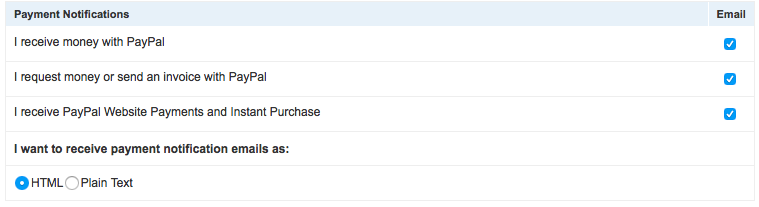
Should PayPal payments fail to be delivered to ISPadmin, check the settings as follows:
- Profile and settings > My selling tools > Instant payment notification - Update > notification URL: set URL to https://admin.yourispadmin.com/new/www/paypal/notify, replacing admin.yourispadmin.com with your actual data
- Receive IPN messages > Enable