

Access Log
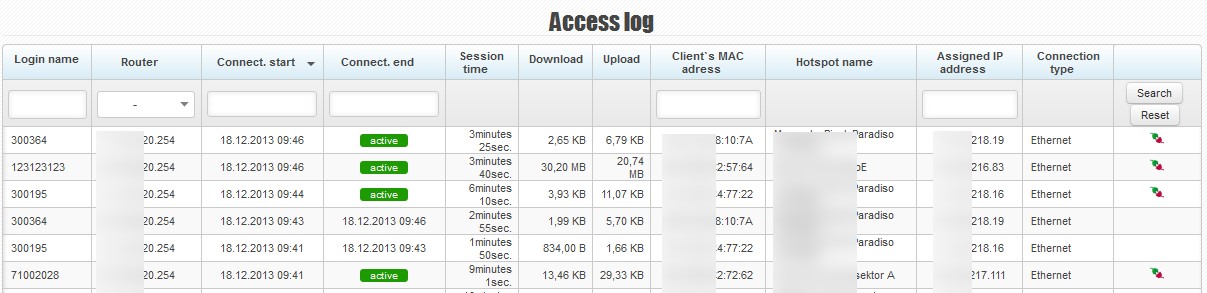
Here you can see the history of authentications of all clients, connection duration, transferred data and information about clients’ connection status.
Records from the log can be sorted by a particular column. They may also be filtered according to the following criteria: login name, router, connection start and connection end, client’s MAC address and assigned IP address.
You can see, among other things, the following details in the overview:
- Login name: the username or MAC address used for client authentication through Radius
- Router: the name of a router in ISPadmin
- Connect. start: the time when a given client was authenticated and connected
- Connect end: the time when a given client was disconnected
- Session time: the time period for which a given client was connected
- Download/Upload: the amount of data downloaded/uploaded by a given client
- Hotspot name: Router SSID
- Assigned IP address: The IP address assigned to a client after authentication through Radius
- Connection type: E.g. Ethernet.
 - You can disconnect a client by clicking on this icon.