
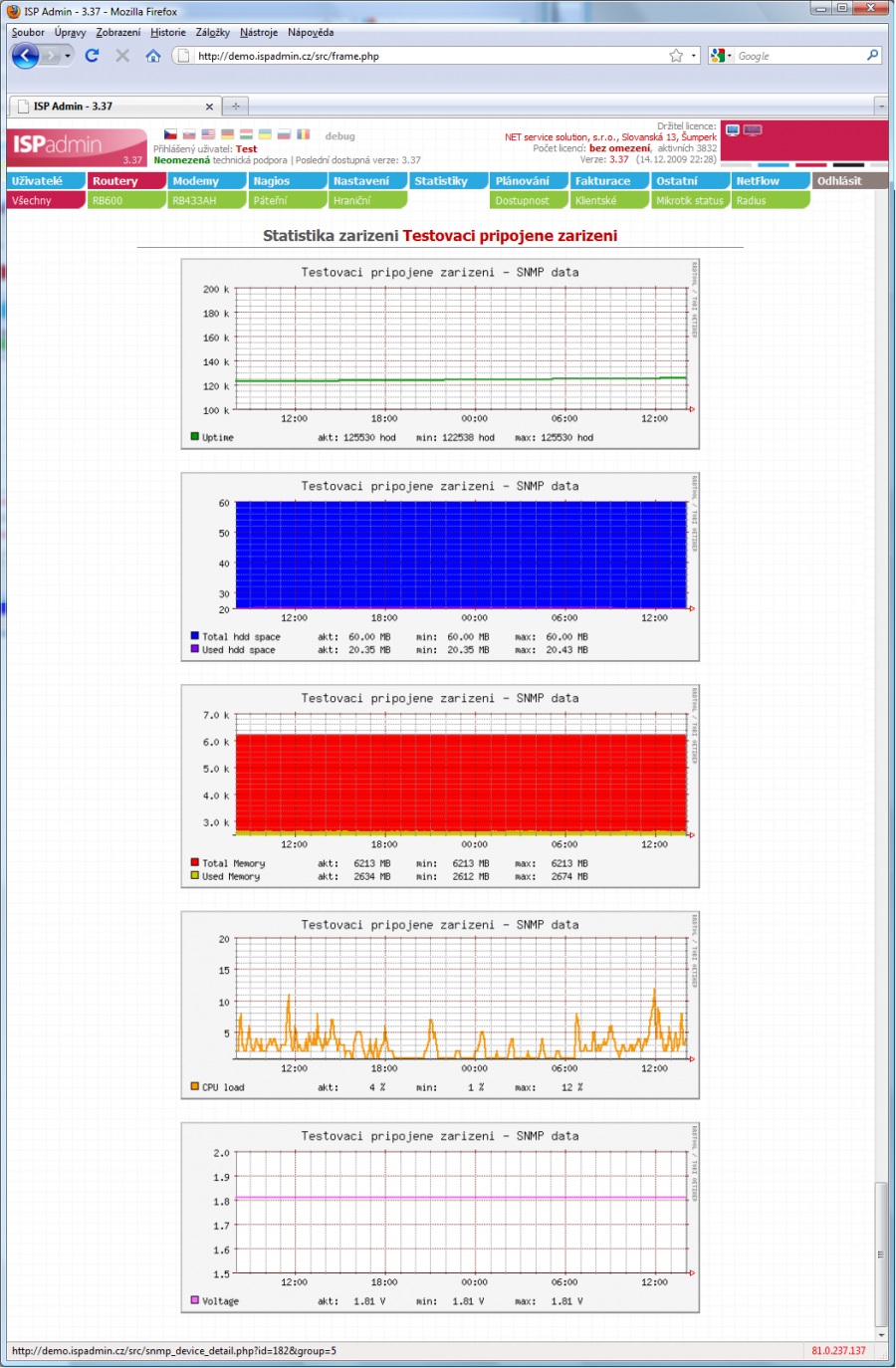
 SNMP module is designed for general communication via SNMP protocol with any device supporting Simple Network Management Protokol (SNMP), version 1 or 2.
ISPadmin is able to read data from these devices and generate graphs according to defined SNMP OID templates from the data.
The system enables creation of own SNMP OID template which is used for communication.
Creating SNMP OID template
Create templates in Settings Other SNMP OID.
Assigning SNMP template to device type
If you have created the template including all SNMP OIDs, settings of graph type, value calculation, and colours, you need to assign it to a certain device type (snmp-device).
You can do that in Hardware Settings Device type.
Assigning device to router
It is possible to add device to each router in router heading in Hardware Routers All - Add - Add device.
Select device type and exact device type which are individual devices in selected group which have a certain template for SNMP communication.
You can select SNMP password for communication with device. If everything is correctly set up you can test the funcionality by clicking on  Test connection for the router in question. A communication test with Mikrotik is carried out, and also with all the devices defined for SNMP communication. Current values acquired from devices including end calculated values which will be shown in graphs are displayed for tested devices.
This way you can easily debug SNMP template so that values in the graph are displayed correctly.
 A special case for using OID template is reading of data from controllable switches supporting SNMP protocol. For such cases, a default template is defined in ISPadmin which you cannot edit; you can copy it and modify a new one for your needs. This template type, however, has a bit different understanding of OID keys. Whereas original templates always use OID key to direct to a certain numeric value, templates for “smart” switches contain table OID keys with mainly several other OID related to one characteristics, e.g. 1.3.6.1.2.1.2.2.1.2 is OID called ifDescr describing all ports on switch; it includes a file of individual OID´s and their values for all ports on switch). OID key column is an important parameter of these templates. Its name is an identifier and it must remain unchanged for this specific purpose. A situation may occur where a certain switch type does not support defined OID for specific purpose, and it is replaced by another one with the same result. For such cases you can change OID and keep reading data functionality. Description of individual OID goes beyond this documentation. Use OID name and key as source for further study.